Comparison · Hands-on · Updated
Notta Memo vs Plaud Note Pro
Hands-on comparison of Notta Memo and Plaud Note Pro: $149 vs $189, free minutes, calls, transcription, translation, online meetings and battery.
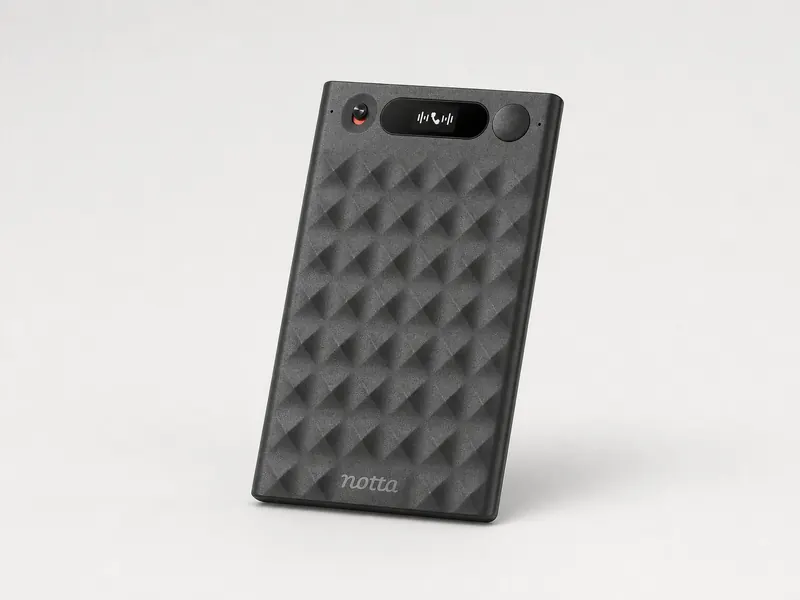
Notta Memo
Card recorder with a call/meeting switch and 600 free minutes for eligible owners.
Choose it if: You want the lower price and more free transcription before a paid plan.
Check price$149 →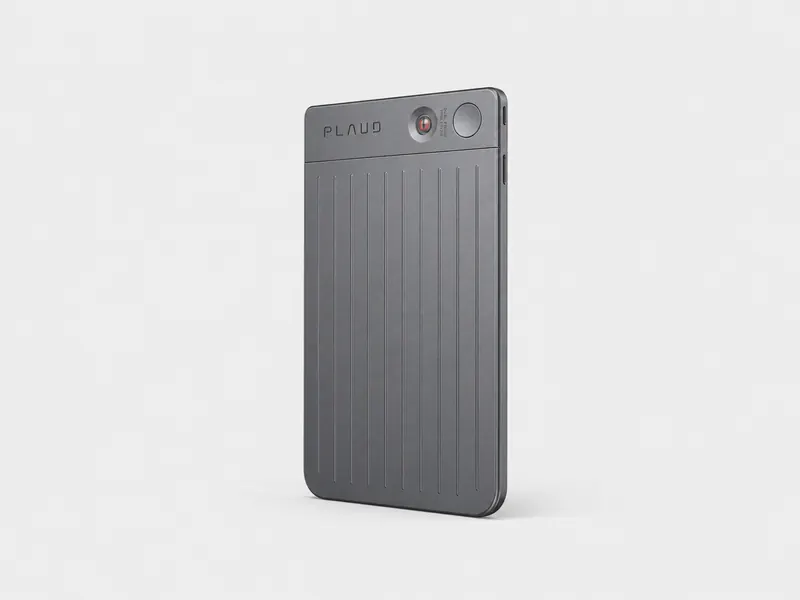
Plaud Note Pro
Card recorder with automatic mode switching and a longer advertised recording time.
Choose it if: You want the longer advertised recording time or 112 transcription languages.
Check price$189 →Short answer
Notta Memo at $149 is the recorder we would buy instead of the $189 Plaud Note Pro. Choose Notta Memo if you want the lower price, 600 free transcription minutes a month for an eligible owner, live translation, a Notta account that also records Zoom, Teams and Google Meet calls, and the device we preferred in everyday use. Choose Plaud Note Pro if you will use its advertised 50-hour recording time or its 112 transcription languages.
Round by round
| Round | Notta Memo | Plaud Note Pro | Winner |
|---|---|---|---|
| Recording in-person meetings | 4 MEMS mics plus a bone-conduction mic. Meeting mode is a physical switch. Notta’s recommended distance is up to 10 ft (3 m). This is the recorder we preferred in everyday use. | 4 MEMS mics plus a voice pickup unit. Mode switching is automatic. Plaud advertises pickup up to 16.4 ft (5 m). | Tie |
| Recording phone calls | Slide the switch to call mode, attach the MagSafe case to the phone, and the bone-conduction mic picks up vibration. That is the call workflow we would use. | Smart dual-mode detects a call and switches without a manual step. The recorder still has to be on the phone. | Notta Memo |
| Transcription | Hands-on preference only. TechRadar’s February 2026 review praised Notta Memo accuracy in a lecture, a café call and a meeting, without a published word-error rate. | 112-language transcription with speaker labels and custom vocabulary. No shared reference transcript against Notta Memo. | Tie |
| Transcription languages | 58 languages, per Notta’s Memo page. | 112 languages, per Plaud’s product page and plan page. That is the wider list. | Plaud Note Pro |
| Translation | Real-time translation and bilingual transcription and translation in the Notta app. The free Hardware Plan allows 4 bilingual uses and 2 monolingual real-time translation uses a month. Paid add-ons for more uses need Notta Pro or higher. | Not offered. Plaud’s help centre says Plaud doesn’t currently support translation between languages, or bilingual transcription. Re-transcribing in another language is a workaround that Plaud says is not true translation. | Notta Memo |
| Battery | Advertised 30 hours of recording from a 470mAh battery, plus 28 days of standby. The quick guide caps one session at 5 hours. | Advertised up to 50 hours of continuous recording from a 500mAh battery, and up to 60 days of standby. Not a timed rundown. | Plaud Note Pro |
| App and summaries | The app we preferred day to day: summaries, speaker labels, AI chat and real-time transcription, with 30+ templates. | 10,000+ templates, a choice of current AI models, Ask Plaud and AutoFlow. A deeper feature list, not the app we preferred in use. | Notta Memo |
| Online meetings and integrations | Notta Bot joins Zoom, Teams, Google Meet and Webex calls, and can auto-join from Google or Outlook Calendar, on all Notta plans. Notta Desktop records without a bot. Notion and Slack on every plan; Zapier and CRM need Business. | Plaud Desktop records Zoom, Google Meet and Teams from the computer without a bot, and can start on its own. Google Calendar adds reminders and auto-naming. Zapier is on every plan, Starter included. | Notta Memo |
| Subscription cost over a year | $149 device and $0 for 600 minutes a month if eligible. Notta Pro is $97.99 a year for 1,800 minutes. First year with Pro: $246.99. | $189 device and $0 Starter for 300 minutes a month. Pro is $99.99 a year for 1,200 minutes. First year with Pro: $288.99. | Notta Memo |
| Price | $149, including the leather MagSafe case. | $189, including the magnetic case. | Notta Memo |
| Overall | 6 rounds | 2 rounds | Notta Memo |
2 rounds tied.
Specs side by side
| Spec | Notta Memo | Plaud Note Pro |
|---|---|---|
| Microphones | 4 MEMS + 1 bone-conduction | 4 MEMS + 1 voice pickup unit |
| Transcription languages | 58 | 112 |
| Translation | Real-time and bilingual; Hardware Plan: 4 bilingual + 2 monolingual uses a month | Not supported, per Plaud’s help centre |
| Online meetings | Notta Bot (Zoom, Teams, Google Meet, Webex) plus bot-free Notta Desktop | Bot-free Plaud Desktop (Zoom, Google Meet, Teams) |
| Battery | Up to 30 hours advertised (470mAh); 5-hour session cap | Up to 50 hours advertised (500mAh) |
| Storage | 32GB | 64GB |
| Weight | 28 g (0.99 oz) | 1.06 oz (about 30 g) |
| Transfer | Bluetooth and Wi-Fi | Bluetooth 5.4 and Wi-Fi |
| Price | $149, leather case included | $189, magnetic case included |
| Plan | 600 min/month Hardware Plan, if eligible | 300 min/month Starter, included |
Which is better for phone calls?
Notta Memo is the phone-call recorder we would buy. That is a hands-on judgement, not a measured call-quality score against Plaud Note Pro.
Notta Memo uses a physical switch. Slide it to call mode, seat Notta Memo in the included MagSafe leather case on the back of the phone, and the bone-conduction microphone captures the call from the phone’s vibration. The quick guide describes that position as stereo phone-call recording. The other position is in-person meeting mode.
Plaud Note Pro switches between calls and in-person recording on its own. Plaud calls that smart dual-mode. Automatic switching removes the manual step. It does not remove the placement step: the recorder still has to be on the phone.
| Notta Memo | Plaud Note Pro | |
|---|---|---|
| Call control | Physical switch, set before the call | Automatic dual-mode |
| Call pickup | Bone-conduction mic, from phone vibration | Voice pickup unit, with the recorder on the phone |
| Mount | Leather MagSafe case and ring in the box | Magnetic case in the box |
We did not score the same call on both devices. TechRadar’s 5 February 2026 Notta Memo review used the recorder for a café phone call, a class and a meeting, and liked the switch. That was a standalone review, not a test against Plaud Note Pro.
Recording a call can require consent. Check recording-consent laws before you rely on either device. The call workflow is also covered in the notta memo review and the plaud note pro review.
Which transcribes more accurately?
Neither Notta Memo nor Plaud Note Pro has a measured accuracy win here. This comparison has no shared reference transcript and no word-error rate for the two recorders in the same room.
Notta’s hardware page advertises up to 98.86% accuracy in 58 languages. That is a manufacturer claim, not a Testbench score. TechRadar, on 5 February 2026, described Notta Memo transcription in a lecture theatre, a café and a quieter meeting room as almost 100%. TechRadar did not publish the reference text, a repeatable error count, or a Plaud Note Pro recording from the same sessions.
Plaud Note Pro advertises transcription in 112 languages, with speaker labels and custom vocabulary. Plaud’s product page does not publish a word-error rate that can sit next to Notta’s 98.86% claim. Two vendor percentages, taken from different audio, are not a comparison.
Check names, figures and technical terms against the audio before you act on a summary. A smooth paragraph can still change a number. How we treat that evidence across the category is in the best ai voice recorder roundup.
Subscription cost: Notta vs Plaud plans over a year
Notta Memo costs less to own for a year than Plaud Note Pro, both on the included allowance and on the Pro plans priced below.
| Option | Device | Annual plan | First-year total | Monthly transcription |
|---|---|---|---|---|
| Notta Memo, Hardware Plan | $149 | $0 | $149 | 600 minutes, if eligible |
| Plaud Note Pro, Starter | $189 | $0 | $189 | 300 minutes |
| Notta Memo, Notta Pro | $149 | $97.99 | $246.99 | 1,800 minutes |
| Plaud Note Pro, Pro | $189 | $99.99 | $288.99 | 1,200 minutes |
US prices checked 15 October 2026. Totals are one device plus one year of the listed plan, excluding tax, shipping and promotions. Paid-plan minutes are that plan’s own allowance. They are not added on top of the free minutes.
The $97.99 Notta Pro figure is the annual total on Notta’s pricing page: $8.17 a month, billed annually, for 1,800 minutes a month. The $108 figure on the same page is the Bilingual Transcription & Translation add-on, not Pro. Use the checkout screen for the account you are buying. App Store and Google Play prices can differ from the website.
Notta Pro is also the cheaper subscription on its own: $97.99 a year against $99.99 for Plaud Pro, with 1,800 minutes a month against 1,200. Add the $40 device gap and Notta Memo is $42 ahead on the first-year total, $246.99 against $288.99.
The free allowances are not the same kind of plan. Plaud Starter comes with the device: 300 minutes a month. Notta’s Hardware Plan is 600 minutes a month, and only for an eligible account with the recorder bound. A free-workspace owner qualifies. A Pro-workspace owner gets those 600 minutes added. A member of someone else’s workspace, a user with no workspace, or the owner of a paid workspace other than Pro does not. Notta’s ordinary software Free plan is separate: 120 minutes a month, with a 3-minute cap per conversation. Hardware Plan translation is also capped, at 4 bilingual uses a month and 2 monolingual real-time translation uses a month, plus 100 AI summaries a month. Notta sells translation add-ons, $72 a year for monolingual and $108 a year for bilingual, only to Pro, Business and Enterprise users.
Plaud Unlimited is listed at $20 a month on the pricing page’s annual view, and at $19.99 a month in that page’s FAQ, with a 24-hour daily cap. Notta Business, with unlimited transcription, is listed at $199.99 a year, billed annually. Plaud’s tiers are explained in Does Plaud need a subscription?.
Which is better for online meetings and other apps?
Notta Memo is the better buy if you also have online meetings. Notta started as transcription software, and the recorder feeds the same account that records Zoom, Teams, Google Meet and Webex calls. Plaud Note Pro covers online meetings too, with a different method and fewer native integrations.
Notta Bot joins a Zoom, Microsoft Teams, Google Meet or Webex call from its link. Connect Google Calendar or Outlook Calendar and the bot can join scheduled meetings on its own. Notta’s help centre lists both features as available on all plans, so a Notta Memo owner on the free Hardware Plan has them. Notta Desktop, a beta app for Mac and Windows, records without a bot and is free to all Notta users.
Plaud Note Pro owners get Plaud Desktop, a beta app for Windows and macOS. It records Zoom, Google Meet and Microsoft Teams audio from the computer without a bot, and can start and stop on its own when a meeting begins and ends. Plaud says it does not join the meeting. Plaud’s Google Calendar integration reminds you to start and stop a recording, names the file after the event and adds meeting context to summaries.
| Notta Memo (Notta account) | Plaud Note Pro (Plaud account) | |
|---|---|---|
| Meeting bot | Notta Bot for Zoom, Teams, Google Meet and Webex, all plans | No bot; Plaud Desktop records from the computer |
| Bot-free desktop app | Notta Desktop (beta), Mac and Windows | Plaud Desktop (beta), Windows and macOS |
| Calendar | Google and Outlook; bot auto-joins scheduled meetings | Google only; reminders and auto-naming |
| Notes and chat apps | Notion, Slack, Teams and Webex on all plans | Not listed on Plaud’s plan page; reachable through Zapier |
| Cloud storage | Google Drive, Dropbox, Box, OneDrive and SharePoint from Pro | 27+ export formats; storage apps not listed |
| Zapier | Business plan only | All plans, Starter included |
| CRM | Salesforce, HubSpot and five more, Business plan only | Not listed on Plaud’s plan page |
The real split is the bot. Notta can send a bot into a scheduled call from your calendar. Plaud Desktop records the call running on your computer, so that computer has to be in the meeting. A bot has limits too: Notta’s help centre says Zoom webinars, Webex webinars and Teams meetings that require user authentication are not supported, and hosts may have to admit the bot.
Plaud is ahead on one point. Zapier is on every Plaud plan, including the free Starter. Notta keeps Zapier and its CRM integrations for Business, listed at $199.99 a year. Notta says its Hardware Plan gives Pro-level features within its caps, which covers the cloud-storage exports above but not Zapier.
These are plan features from each company’s own pages, not something we scored side by side. Online-meeting recording can require consent. Check recording-consent laws first.
Who should buy the Notta Memo?
Buy the Notta Memo if you want our preferred ai voice recorder and the included allowance covers your month. At $149, with the leather case in the box, Notta Memo is $40 less than Plaud Note Pro before any subscription.
Notta Memo fits a buyer who already works in Notta and wants a recorder with a physical call/meeting switch feeding that workspace. An eligible owner gets 600 transcription minutes a month. That is 10 hours, enough for a light meeting load without a paid plan. The device review is the notta memo page.
Notta Memo also suits a buyer whose week mixes in-person meetings with Zoom, Teams or Google Meet calls. The same Notta account can send a bot into those calls, join them from Google or Outlook Calendar, and translate live within the Hardware Plan’s caps. If you need Zapier or a CRM connection, budget for Notta Business, or look at Plaud, which includes Zapier on its free plan.
Skip Notta Memo if you need more than 58 transcription languages, or if one long recording day matters more than the $40. Plaud Note Pro’s advertised recording time is the longer of the two.
Who should buy the Plaud Note Pro?
Buy the Plaud Note Pro if you will use the features that justify $189. Those are the advertised 50-hour recording time, automatic switching between calls and meetings, pickup advertised to 16.4 ft, 64GB of storage, transcription in 112 languages, and Zapier on the free Starter plan.
Plaud Note Pro is also the stay-put choice if your notes already live in Plaud. Moving a library costs more than the $40 hardware gap. Inside Plaud’s card range, read Plaud Note vs Plaud Note Pro. If Pocket is the other name on the list, use plaud vs pocket. The device on its own is in the plaud note pro review.
Those are real reasons to buy Plaud Note Pro. They do not change the overall pick. For a new buyer with no Plaud library to protect, Notta Memo is the recorder we would take.
Frequently asked questions
Is Notta Memo better than Plaud Note Pro?
Notta Memo is our overall pick. It wins on price, year-one subscription cost, phone calls, translation, online meetings and the app we preferred in use. Plaud Note Pro wins on advertised battery life and on transcription-language count, 112 against 58.
Do Notta Memo and Plaud Note Pro both need subscriptions?
No. Both record and transcribe inside an included allowance. An eligible Notta Memo owner gets 600 minutes a month on the Hardware Plan. Plaud Note Pro includes 300 minutes a month on Starter. A paid plan is for heavier use, not for pressing record.
Which has better battery life, Notta Memo or Plaud Note Pro?
Plaud Note Pro has the higher advertised maximum: up to 50 hours of continuous recording, against up to 30 hours for Notta Memo. We did not time a side-by-side rundown. Notta’s quick guide also caps a single recording session at 5 hours.
Can Notta Memo or Plaud Note Pro translate a conversation?
Notta Memo can, through the Notta app: real-time translation and bilingual transcription and translation. On the free Hardware Plan that is capped at 4 bilingual uses and 2 monolingual real-time translation uses a month. Plaud’s help centre says Plaud doesn’t currently support translation between languages.
Can Notta Memo or Plaud Note Pro record Zoom and Teams meetings?
Both accounts can, in different ways. Notta Bot joins Zoom, Teams, Google Meet and Webex calls and can auto-join from Google or Outlook Calendar, on all Notta plans. Plaud Desktop records Zoom, Google Meet and Teams from your computer without a bot. Neither needs the recorder itself for an online call.
Sources
- [1]Notta Memo specifications — Price $149, 28 g, 4 MEMS + bone-conduction mic, recommended distance up to 10 ft, 470mAh / 30 hours advertised, 32GB. Checked 14 October 2026. The page still mentions a 300-minute Starter line; the Hardware Plan article below supersedes that allowance. Price, 58 languages and real-time translation re-checked 15 October 2026.
- [2]Notta Memo store price — Shopify variant price $149.00 USD. Checked 14 October 2026.
- [3]Notta Memo user guide, standard price — Standard price $149 with leather case. Updated 4 September 2026.
- [4]Notta Memo quick guide — Call mode uses phone vibration; each recording session up to 5 hours; Bluetooth or Wi-Fi transfer.
- [5]Notta Hardware Plan — 600 minutes a month, eligibility rules, Pro-equivalent features within limits, 4 bilingual and 2 monolingual real-time translation uses a month, 100 AI summaries. Checked 15 October 2026.
- [6]Notta pricing — Pro shown at $8.17 a month, “Total $97.99 · Billed annually”, 1,800 transcription minutes a month. The $108 total on the page is the Bilingual Transcription & Translation add-on. Business $199.99 billed annually. Plan table: meeting recording, Google and Outlook Calendar, Notion, Slack, Teams and Webex on all plans; Google Drive, Dropbox, Box, OneDrive and SharePoint from Pro; Zapier and CRM from Business; translation add-ons for Pro and up. Checked 15 October 2026.
- [7]Plaud Note Pro specifications and price — $189, 4 MEMS + VPU, up to 16.4 ft, up to 50 hours, 64GB, 1.06 oz, 112 languages, Starter 300 minutes with access to Plaud Desktop. Price, languages and Starter re-checked 15 October 2026.
- [8]Plaud AI plan pricing — Pro $8.33 a month on annual billing versus $17.99 monthly; Unlimited listed at $20 a month, with the FAQ also citing $19.99. All plans include Plaud Desktop (requires device), 112+ languages, Zapier and Google Calendar integration. No translation feature listed. Checked 15 October 2026.
- [9]Plaud AI Annual Pro Plan — Annual Pro price $99.99 for 1,200 minutes a month, also shown on the plan pricing page on 15 October 2026.
- [10]Notta: record and transcribe online meetings — Notta Bot for Zoom, Google Meet, Teams and Webex; available on all plans; webinar and authenticated-Teams limits. Checked 15 October 2026.
- [11]Notta: transcribe online meetings via calendar integration — Google Calendar or Outlook Calendar; auto-join for scheduled Zoom, Google Meet, Teams and Webex meetings; available on all plans. Checked 15 October 2026.
- [12]Notta integrations — Lists Box, ClickUp, Dropbox, Google Calendar, Google Docs, Google Drive, HubSpot, OneDrive, OneNote, Teams, Notion, Outlook Calendar, Pipedrive, Salesforce, Slack, Webex, Zapier, Zoom and other CRMs. Checked 15 October 2026.
- [13]Notta Desktop — Bot-free recording on Mac and Windows (beta), auto-detects meetings, available to all Notta users at no additional cost. Checked 15 October 2026.
- [14]Plaud: does Plaud support translation? — Says Plaud doesn’t currently support translation between languages; re-transcribe workaround is not true translation. Checked 15 October 2026.
- [15]Plaud: bilingual/multilingual transcription — Says Plaud currently doesn’t support bilingual/multilingual transcription. Checked 15 October 2026.
- [16]Plaud Desktop — Beta for Windows and macOS; detects Zoom, Google Meet and Teams calls and captures audio without a bot; Zapier export. Checked 15 October 2026.
- [17]Plaud: Calendar — Google Calendar only; start and stop reminders, auto-naming and meeting context. Checked 15 October 2026.
- [18]Plaud: Automatic Recording — Plaud Desktop starts and stops recording automatically when a detected meeting begins and ends. Checked 15 October 2026.
- [19]TechRadar Notta Memo review — Alastair Jennings, published 5 February 2026. Standalone review of calls, a class and a meeting. Not a Plaud comparison and not a published word-error rate.