Researched shortlist of the best mini PCs for AI in 2026: the Geekom A9 Max, A9 Mega, Minisforum AI X1 Pro and MS-S1 Max, on specs, memory fit and third-party tests.
The Geekom A9 Max, from $1,499, is the best mini PC for AI we would buy for most people: an everyday Ryzen AI 9 HX 470 desktop that also runs smaller local models. Choose the Geekom A9 Mega ($3,799) if larger local models are the main requirement, the Minisforum AI X1 Pro (from $1,199) if budget or an external GPU matters most, and the Minisforum MS-S1 Max ($3,799) if fast networking and internal expansion are part of the plan. This is a researched shortlist, not a claimed shared-bench ranking.
01 — Best for most people
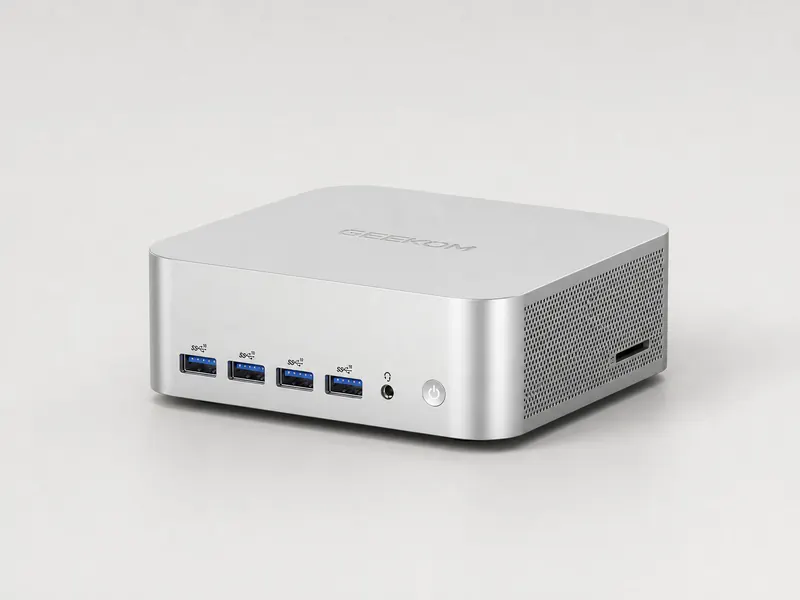
Geekom A9 Max
7.0/10
Price
from $1,499
Type
Ryzen AI 9 HX 370/470
Assessment
Researched
The A9 Max pairs an ordinary desktop role with an upgradeable memory route, which is why it is our starting point. Its Ryzen AI 9 HX 470 platform handles everyday computing and smaller local models in one box. The higher-scored A9 Mega and MS-S1 Max are specialist machines for larger local models; for most buyers the everyday-desktop role is the better fit. Choose the RAM arrangement with care and confirm your runtime uses the Radeon GPU; cloud assistants alone do not justify the maximum local-AI configuration. The full write-up is the geekom a9 max review.
Choose it if: You want one computer for everyday work and smaller local models.
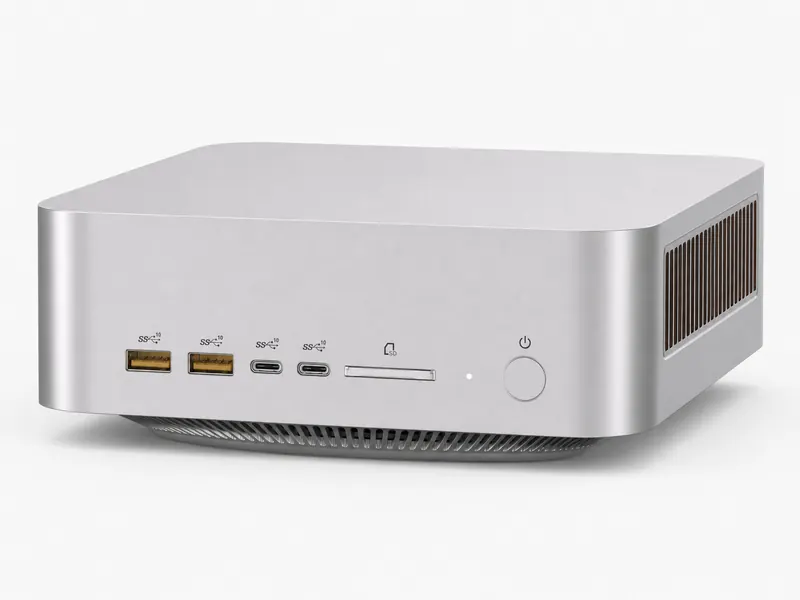
The A9 Mega moves to the Strix Halo platform (Ryzen AI Max+ 395), where the memory-and-graphics proposition is the point: a large pool of accelerator-visible memory for bigger models and longer context. Buy it for that proposition, not as a default upgrade for every office task. Capacity should follow the model size and context you intend to run, as our how much ram for local llm guide explains. The device page is the geekom a9 mega review.
Choose it if: Larger local models and their memory needs drive the purchase.
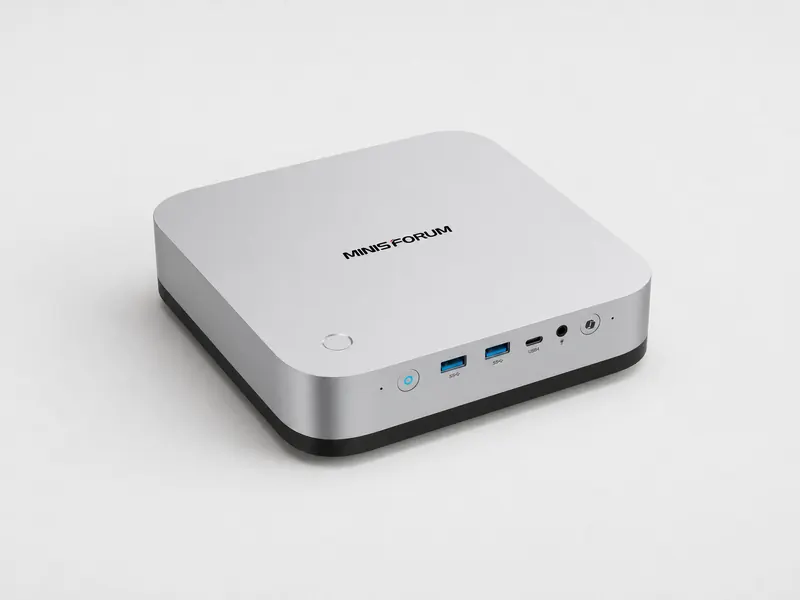
The AI X1 Pro is the cheapest machine on this page and the one to buy when the budget is fixed. Its native OCuLink connection is also the pick's second job: it is useful when a discrete card is part of a costed setup, because the card changes the relevant memory limit and the whole ownership cost. If you do not intend to use an eGPU, choose it on its own merits. Details are in the minisforum ai x1 pro review.
Choose it if: You want the lowest entry price, or an eGPU is part of the plan.
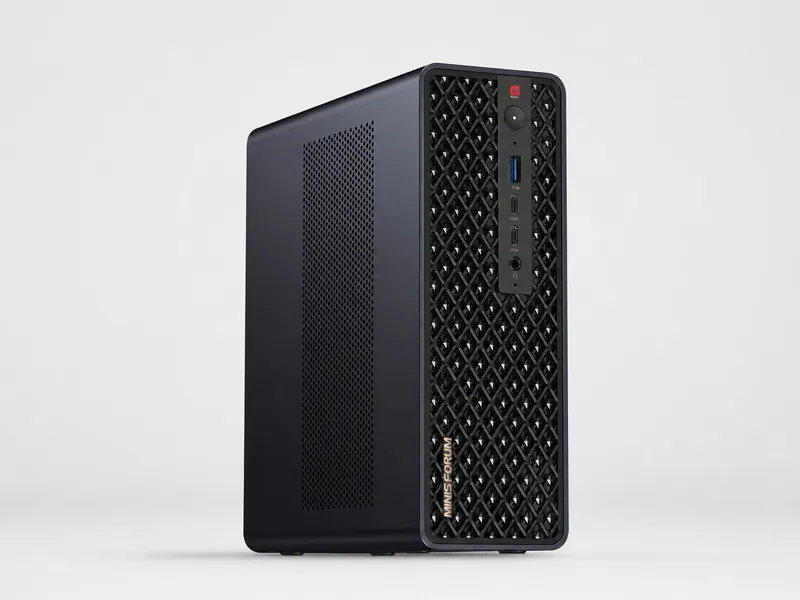
The MS-S1 Max makes sense when fast networking or a compatible internal card has a role in your setup. It is a Strix Halo machine like the A9 Mega, so the same memory-first logic applies. Note that two connected systems do not automatically pool memory for an ordinary model runner; buy the infrastructure only when the software and workload can use it. The device page is the minisforum ms-s1 max review.
Choose it if: 10GbE networking or internal expansion is part of the workload.
The shortlist prioritises workload fit, usable memory, software compatibility and relevant expansion, in that order. There is no Testbench Lab test-centre data for mini PCs yet, so this is a researched assessment: manufacturer specs (labelled as advertised), our existing device pages, and third-party roundups credited by name and date — ComputingForGeeks (30 September 2026) and TerminalBytes (10 June 2026), both read in full, plus StorageReview's leaderboard (29 September 2026), seen as a search snippet with its body behind a cookie wall, so its numbers are unverified. We do not turn unmatched external results into numerical scores or describe this group as completing a common Testbench Lab protocol. US prices were checked 2 October 2026 on the manufacturer store pages listed in each pick; re-check them on the day you buy. Scores are draft editorial ratings out of 10, pending David Wilson's confirmation and any future lab testing under the 10 October 2026 test brief.
Which mini PC is good for AI?
The Geekom A9 Max, from $1,499, is the mini PC we would point most AI buyers at. It is an ordinary desktop first — Ryzen AI 9 HX 470, upgradeable memory — and a local-AI machine second, which is the order most people actually need. The rest of the shortlist covers the cases the A9 Max does not: the A9 Mega ($3,799) for larger local models, the AI X1 Pro (from $1,199) for budget and eGPU plans, and the MS-S1 Max ($3,799) for networking and internal expansion.
Award
Product
Price
Chip
Best for most people
Geekom A9 Max
from $1,499
Ryzen AI 9 HX 470
Larger local models
Geekom A9 Mega
$3,799
Ryzen AI Max+ 395
Budget pick
Minisforum AI X1 Pro
from $1,199
Ryzen AI 9 HX 370/470
Networking and expansion
Minisforum MS-S1 Max
$3,799
Ryzen AI Max+ 395
Prices are US manufacturer store prices checked 2 October 2026, without discount codes. "From" prices mean the configuration varies; confirm the exact chip, memory and storage at the store before you compare totals.
The shortlist splits into two tiers, and the tier matters more than the brand. The A9 Max and AI X1 Pro are Ryzen AI 9 HX 370/470 machines: everyday computers that run smaller local models. The A9 Mega and MS-S1 Max are Strix Halo (Ryzen AI Max+ 395) machines: memory-first machines for larger models. Both tiers are covered in the ai mini pc category, and each tier has its own roundup: strix halo mini pc and amd ryzen ai 9 hx 370 mini pc.
Before any of that, answer one question honestly: does your AI work run in the cloud or on the machine? A browser-based assistant needs a good ordinary desktop, not a $3,799 Strix Halo box. Only local models — data that must stay on the machine, or usage that a cloud plan cannot cover — justify the memory tier. Everything else in this page follows from that answer.
Best everyday AI desktop: why the Geekom A9 Max?
The Geekom A9 Max is our general starting point because it combines an ordinary desktop role with an upgradeable memory route. That matters for AI work more than raw chip speed: local model size is bounded by usable memory, and a machine you can add RAM to ages better than one you cannot. When the next model generation needs more memory, an upgradeable box takes a RAM purchase; a sealed box takes a whole new computer.
Three practical rules govern the A9 Max buy. First, choose the RAM arrangement with care, because the model you can run is set by what the runtime can see. Second, confirm that your runtime — llama.cpp, Ollama, LM Studio or whatever you use — actually uses the Radeon GPU rather than falling back to CPU; a runtime that ignores the GPU turns a fast machine into a slow one. Third, do not pay for the maximum local-AI configuration if cloud-based assistants are your main AI use; a smaller configuration runs the same cloud services identically.
What "smaller local models" means in practice: the A9 Max tier is the 32GB-and-up tier, per the RAM guidance below. It is the machine for a quantised model that fits that memory, not for a 70B-class model with long context. Buyers who need that should read the A9 Mega section, not this one.
Tom's Hardware published a Geekom A9 Max review on 24 July 2026, seen in search on 1 October 2026 but not read in full for this page, so we do not quote its figures. When Testbench Lab runs the machine, the tests and conditions are set out in the 10 October 2026 lab test brief. The device detail is in the geekom a9 max review.
Best for larger local models: why the Geekom A9 Mega?
The Geekom A9 Mega is the pick when larger local models are the main requirement, because Strix Halo (Ryzen AI Max+ 395) is built around a large pool of memory the GPU can use. At $3,799 it is a $2,300 jump over the A9 Max's from-price, so it should be bought for that memory-and-graphics proposition, not as a default upgrade for every office task. A spreadsheet does not run faster on Strix Halo.
How much memory you need is a model question, not a taste question. The amount of accelerator-visible memory and your intended model context should determine capacity — our how much ram for local llm guide works through the arithmetic. The rule of thumb from the FAQ below: 32GB is a smaller-model starting point, and larger models and longer context can require 64GB or 128GB, plus a backend able to use that capacity. The A9 Mega is the box you buy when the answer to that arithmetic lands in the upper range.
As a marker from third-party tests: ComputingForGeeks, on 30 September 2026, cited benchmarks (not its own) putting gpt-oss-120b at roughly 52–56 tokens per second and Llama 70B dense at roughly 4–6 tokens per second on Strix Halo-class hardware. What those figures mean for a buyer: roughly 52–56 tokens per second is a comfortable reading speed — output appears about as fast as you can read it. Roughly 4–6 tokens per second is a patience test — usable for batch work, not for conversation. The gap between the two numbers is the gap between a model that fits the memory well and one that barely does. Those are other people's numbers on other configurations, not Testbench Lab measurements, and we did not verify them ourselves; ComputingForGeeks ran no benchmarks of its own either.
TerminalBytes, on 10 June 2026, noted two things worth repeating. Strix Halo mini PC prices roughly doubled in 2026, so a price you remember from 2025 is probably wrong. And some chassis run the chip at around 120 W, which affects sustained performance — the same chip in a different box is not the same computer. Both are reasons to check the specific machine, not just the chip. The device page is the geekom a9 mega review.
Best budget pick: why the Minisforum AI X1 Pro?
The Minisforum AI X1 Pro, from $1,199, is the best budget mini PC with AI capabilities on our list, because it is the cheapest way into the tier and it carries the eGPU option for later. It is a Ryzen AI 9 HX 370/470 machine, so the smaller-model logic from the A9 Max section applies to it too: pick the memory to fit the model, confirm the runtime uses the Radeon GPU, and skip the maximum configuration if cloud assistants are the real workload.
The price gap is the argument. At from $1,199 against the A9 Max's from $1,499, the AI X1 Pro is at least $300 cheaper before any configuration choices. That $300 is a RAM upgrade, a model licence, or most of the way to a second machine — money better spent than on chip-tier prestige, if the smaller-model tier is what you need anyway.
The native OCuLink connection is the pick's second job. A discrete card attached through OCuLink changes the relevant memory limit and the whole ownership cost, so it belongs in a costed setup rather than an impulse. The point for AI buyers is that a discrete GPU brings its own memory pool, which can move a workload out of the system-RAM tier entirely — but the card, its power supply and its enclosure are real costs on top of the $1,199. If you do not intend to use an eGPU, choose the AI X1 Pro on its own merits and ignore that port. The trade-offs of the approach are covered in What is OCuLink? OCuLink vs USB4 for an external GPU, and the device detail is in the minisforum ai x1 pro review.
TerminalBytes, on 10 June 2026, picked the AI X1 Pro-470 in its tiered roundup for local LLMs — a third-party vote that agrees with ours, though it ran no benchmarks of its own and relied on r/LocalLLaMA, Phoronix and spec sheets.
Best for networking and internal expansion: why the Minisforum MS-S1 Max?
The Minisforum MS-S1 Max, at $3,799, is the pick when fast networking or a compatible internal card has a role. ComputingForGeeks compared it on 30 September 2026 against the Framework Desktop, GMKtec EVO-X2, Beelink GTR9 Pro and Bosgame M5 on price, 10GbE and noise — the MS-S1 Max's 10GbE is the differentiator among the Strix Halo boxes we cover. What 10GbE means for a buyer: file transfers and network storage run up to ten times faster than on a 1GbE port, which matters when model files run to tens of gigabytes and live on a NAS. If your models live on the machine itself, the port is idle value.
Inside the Strix Halo tier, the MS-S1 Max and the A9 Mega share a chip and a price: $3,799 each, checked 2 October 2026. The choice between them is not about AI speed — no verified source separates them on model performance — it is about the chassis. Networking and internal expansion point to the MS-S1 Max; the memory-and-graphics proposition that defines the default large-model buy points to the A9 Mega. Buyers who cannot name a use for 10GbE or an internal slot should take the A9 Mega and stop shopping.
One caveat from the current page's verdict survives intact: two connected systems do not automatically pool memory for an ordinary model runner. Distributed inference is a software project, not a cable. Buy the networking and internal expansion only when the software and workload can use it. The device page is the minisforum ms-s1 max review.
What do the third-party tests actually say?
No buyer's guide we found ran its own LLM benchmarks across this field, and neither did we. That is the single most important caveat on this page, so here is what each source did and did not do.
StorageReview's "Best Desktops for Local AI in 2026" leaderboard, dated 29 September 2026, says it lab-tests every system it ranks: vLLM throughput, thermals and power across GB10 appliances, AMD Strix Halo and RTX PRO 6000 towers. That would make it the strongest editorial source in the field. But its body sits behind a cookie wall, so we saw only the search snippet and cannot verify its numbers. Its picks — DGX Spark overall, Acer Veriton GN100 for GB10, AMD Ryzen AI Halo for x86 — cover desktops broadly, not only mini PCs, and probably no budget HX 370/470 boxes. Treat its claims as promising and unverified.
ComputingForGeeks (30 September 2026) compared five Strix Halo mini PCs on price, 10GbE and noise, citing others' benchmarks for the token rates quoted in the A9 Mega section. It ran no benchmarks of its own and did no per-chassis sustained-power or thermal testing. Its value is the spec comparison, not the performance numbers.
TerminalBytes (10 June 2026) picked by tier — GMKtec EVO-X2, Minisforum AI X1 Pro-470, Beelink SER10 MAX, Beelink SER9 and origimagic A3 — with no benchmarks of its own, relying on r/LocalLLaMA, Phoronix and spec sheets. Its contributions we use are the 2026 price-doubling note and the 120 W power caveat.
Two video comparisons cover developer-kit platforms rather than consumer mini PCs: Alex Ziskind's DGX Spark versus Mac Studio and Strix Halo benchmark video (20 January 2026) and Level1Techs' hands-on AMD Ryzen AI Halo versus Nvidia DGX Spark comparison. Their figures were not visible in the snippets we saw, so we quote nothing from either.
Source
Date
Own benchmarks?
What we use from it
StorageReview
29 Sep 2026
Claims yes; unverified (cookie wall)
Nothing yet; leaderboard picks noted
ComputingForGeeks
30 Sep 2026
No
Price/10GbE/noise comparison; cited tok/s figures
TerminalBytes
10 Jun 2026
No
Tier picks; price doubling; 120 W caveat
Alex Ziskind
20 Jan 2026
Yes (video)
Nothing; figures not captured
Level1Techs
—
Hands-on (video)
Nothing; figures not captured
The honest summary: measured tokens-per-second across these four machines do not exist in any source we could verify. That is why this page is a researched shortlist with draft scores, not a claimed shared-bench ranking. When Testbench Lab runs the units, the tests and conditions are set out in the 10 October 2026 lab test brief, and results will carry their conditions in each review's keyResults. Until then, treat every performance number you see for these machines — including ours — as someone else's configuration.
Can a mini PC run a local LLM, and how much RAM does it need?
Yes, a mini PC can run a local LLM, with a model that fits the available memory and software that supports the processor or GPU. That single sentence is the whole buying logic of this page: every pick above is a memory-and-software decision before it is a brand decision.
On RAM, 32GB is a useful smaller-model starting point. Larger models and longer context can require 64GB or 128GB, plus a backend able to use that capacity. Two things in that sentence trip buyers up. "Fits the available memory" means the memory the runtime can actually allocate, not the number on the box — the operating system and your other applications take a share first. And "a backend able to use that capacity" means the software must address the memory through the GPU path you chose it for; a backend that falls back to CPU wastes the money you spent on the graphics side.
Context length is the quiet multiplier. The same model with a longer context window needs more memory for the key-value cache, so two buyers running "the same model" can need different tiers. The full worked guide is How much RAM do you need to run a local LLM?.
For AI agents specifically, choose according to whether the agent calls a cloud service or hosts a local model. Browser tools, containers and concurrent sessions can add requirements beyond the model itself: memory for the agent framework, storage for logs, and CPU headroom for the non-model work. A cloud-agent user needs a good ordinary desktop, not a Strix Halo box. A local-model agent user needs the memory tier up — the A9 Mega or MS-S1 Max — and should check that the agent framework's memory sits comfortably alongside the model's.
What should each pick's buyer give up?
Every pick on this page gives something up, and knowing what is the difference between a good buy and an expensive mistake. The A9 Max buyer gives up large-model capacity: if the model you need does not fit the memory you configured, no software fixes it. The A9 Mega buyer gives up $2,300 against the A9 Max's from-price, and gains nothing for cloud-only workloads. The AI X1 Pro buyer gives up the A9 Max's upgradeable memory route and buys on price and the OCuLink option instead. The MS-S1 Max buyer gives up nothing against the A9 Mega on chip or price, but must actually use the networking and expansion to justify choosing it over our default large-model pick.
Pick
You give up
You gain
Geekom A9 Max (from $1,499)
Large-model capacity
Everyday desktop plus upgradeable memory
Geekom A9 Mega ($3,799)
$2,300 over the A9 Max tier
Accelerator-visible memory for larger models
Minisforum AI X1 Pro (from $1,199)
The A9 Max's memory route
Lowest entry price; OCuLink for an eGPU
Minisforum MS-S1 Max ($3,799)
Nothing vs A9 Mega on chip/price
10GbE and internal expansion
The machines we left off the list give things up too. The Beelink SER9 Pro ($1,149) is cheaper than the AI X1 Pro but overlaps the A9 Max's role without the upgradeable memory route — see the beelink ser9 pro review. The GMKtec EVO-X2 ($3,649.99) is TerminalBytes' Strix Halo pick and only $150.01 under the A9 Mega, which is not enough to displace the A9 Mega as our large-model pick — see the gmktec evo-x2 review. The Beelink GTR9 Pro ($4,349) is the most expensive Strix Halo machine we cover, and nothing in the published evidence justifies the premium over the A9 Mega and MS-S1 Max.
One last rule for all four: prices were checked 2 October 2026 and Strix Halo prices roughly doubled during 2026, per TerminalBytes. Whatever you read here, confirm the store price on the day you buy.
Frequently asked questions
Which mini PC is good for AI?
The Geekom A9 Max, from $1,499, is our everyday pick, and the Geekom A9 Mega ($3,799) is our choice for larger local models. The A9 Max wins on the combination of an ordinary desktop role with an upgradeable memory route; the A9 Mega wins on accelerator-visible memory for bigger models.
What is the best budget mini PC with AI capabilities?
The Minisforum AI X1 Pro, from $1,199, is the best budget mini PC with AI capabilities on our list. Choose sufficient memory for a small model and a supported runtime, and use its OCuLink port only if an external GPU is part of a costed plan. For cloud AI alone, a capable ordinary desktop can be enough.
What are the best mini PCs for AI agents?
It depends on whether the agent calls a cloud service or hosts a local model. Cloud-agent users need a good ordinary desktop — the A9 Max or AI X1 Pro. Local-model agents need the memory tier up: the A9 Mega or MS-S1 Max, because browser tools, containers and concurrent sessions add requirements beyond the model itself.
Can a mini PC run a local LLM?
Yes, with a model that fits the available memory and software that supports the processor or GPU. Confirm your runtime uses the Radeon GPU rather than falling back to CPU, and pick the memory tier to match the model size.
How much RAM does a mini PC need for AI?
32GB is a useful smaller-model starting point. Larger models and longer context can require 64GB or 128GB, plus a backend able to use that capacity. The arithmetic is worked through in our guide to how much ram for local llm.
[5]ComputingForGeeks: Best Ryzen AI Max+ 395 Mini PC (2026) — Comparison of Framework Desktop, GMKtec EVO-X2, Beelink GTR9 Pro, Bosgame M5 and MS-S1 Max on price, 10GbE and noise; cited third-party benchmarks of ~52–56 tok/s for gpt-oss-120b and ~4–6 tok/s for Llama 70B dense. Published 30 September 2026; read in full 1 October 2026. Ran no benchmarks of its own.
[6]TerminalBytes: Best mini PC for local LLMs in 2026 — Tier picks including GMKtec EVO-X2 and Minisforum AI X1 Pro-470; notes the 2026 price doubling and a 120 W power caveat. Published 10 June 2026; read in full 1 October 2026. No benchmarks of its own.
[7]StorageReview: Best Desktops for Local AI in 2026 — Lab-tested leaderboard claim covering vLLM throughput, thermals and power; picks DGX Spark, Acer Veriton GN100 and AMD Ryzen AI Halo. Published 29 September 2026; seen as a search snippet only, body behind a cookie wall, numbers unverified.
[8]Tom's Hardware Geekom A9 Max review — Geekom A9 Max review dated 24 July 2026, seen in search on 1 October 2026; not read in full, no figures quoted. Homepage URL given because the review URL was not captured.