Comparison · Researched · Updated
Geekom A9 Max vs Beelink SER9 Pro
Researched comparison of the Geekom A9 Max (from $1,499) and Beelink SER9 Pro ($1,149): chip, memory, upgradeability, noise and price for local AI.
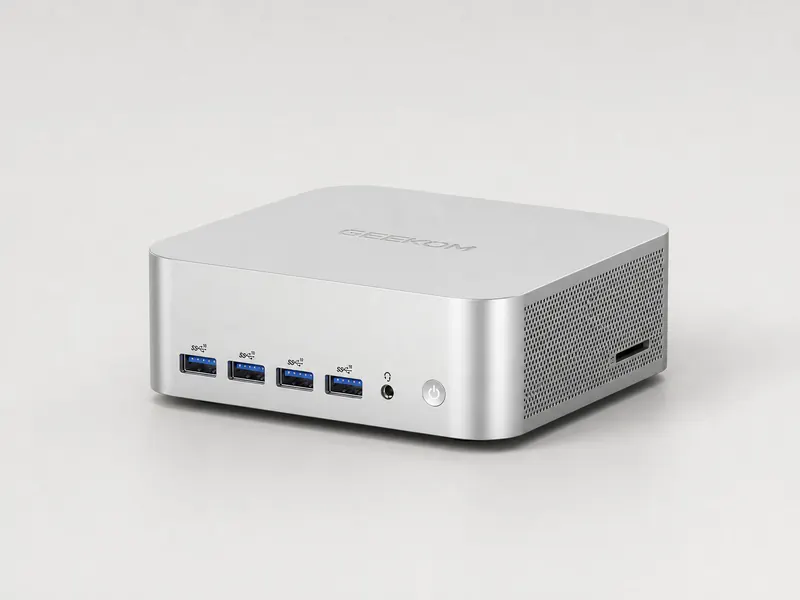
Geekom A9 Max
Ryzen AI 9 HX mini PC with replaceable SODIMM memory.
Choose it if: Your local-model memory needs may grow after purchase.
Check pricefrom $1,499 →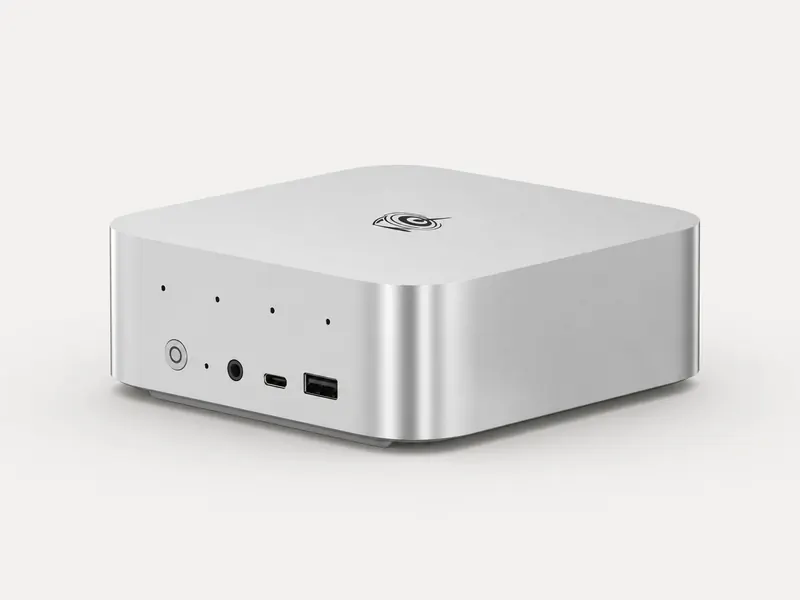
Beelink SER9 Pro
Ryzen AI 9 HX 370 mini PC with fixed onboard memory.
Choose it if: You are confident the installed memory will stay sufficient.
Check price$1,149 →Short answer
The Geekom A9 Max, from $1,499, is the AI desktop we would buy instead of the $1,149 Beelink SER9 Pro. Choose the Geekom A9 Max if your local-model memory needs may grow after purchase, because its replaceable SODIMM memory can be raised where the SER9 Pro's onboard memory cannot. Choose the Beelink SER9 Pro if the installed memory already covers the models you run and you want to keep the $350.
Round by round
| Round | Geekom A9 Max | Beelink SER9 Pro | Winner |
|---|---|---|---|
| Processor and AI performance | Sold in the Ryzen AI 9 HX 370/470 tier; the 2026 review unit is the HX 470. No matched benchmark against the SER9 Pro exists yet. | Ryzen AI 9 HX 370. Same Strix Point family, one tier down on paper. No matched benchmark against the A9 Max exists yet. | Geekom A9 Max |
| Memory capacity and bandwidth | Replaceable SODIMM slots. Capacity can be raised after purchase, within the supported maximum. | Onboard (soldered) memory. The installed capacity is the ceiling for the life of the machine. | Geekom A9 Max |
| Future upgrades | RAM and storage can both be changed later, so a local-model library that grows does not force a new PC. | Storage can be expanded, but storage expansion cannot solve a RAM limit. | Geekom A9 Max |
| Noise | No comparable noise recordings or readings against the SER9 Pro. Manufacturer noise figures are not published in a matched form. | Same. We do not assign a noise winner without comparable measurements. | Tie |
| Price | From $1,499, checked 2 October 2026. | $1,149, checked 2 October 2026. That is $350 less before any configuration changes. | Beelink SER9 Pro |
| Value for a fixed workload | The extra $350 buys the upgrade path, not a measured speed win. | If the installed memory already covers the models you run, the SER9 Pro is the cheaper route to the same chip family. | Beelink SER9 Pro |
| Value for growing workloads | Replaceable memory means a bigger model later is a module purchase, not a new machine. | A buyer who outgrows the soldered RAM has to replace the PC. | Geekom A9 Max |
| Buying confidence | Configuration should be confirmed at checkout: the A9 Max name covers more than one chip in the 370/470 tier. | The SER9 Pro name is also shared across variants; confirm the CPU is the HX 370 before comparing prices. | Tie |
| Overall | Our pick for the reasons above: the replaceable-memory upgrade path and the higher chip tier. | A reasonable alternative for buyers with fixed memory needs. | Geekom A9 Max |
| Overall | 5 rounds | 2 rounds | Geekom A9 Max |
2 rounds tied.
Specs side by side
| Spec | Geekom A9 Max | Beelink SER9 Pro |
|---|---|---|
| Price | from $1,499 (checked 2 October 2026) | $1,149 (checked 2 October 2026) |
| Processor tier | Ryzen AI 9 HX 370/470 (2026 review unit: HX 470) | Ryzen AI 9 HX 370 |
| Memory type | Replaceable SODIMM | Onboard (soldered) |
| Memory upgrade after purchase | Yes, within the supported maximum | No |
| Storage expansion | Yes | Yes |
| Noise | No comparable published measurements | No comparable published measurements |
| Store | geekompc.com | bee-link.com |
Which is faster for local AI?
Neither the Geekom A9 Max nor the Beelink SER9 Pro has a measured speed win here, because no matched benchmark of the two machines exists yet. A reliable answer needs the same memory capacity, the same memory bandwidth and the same inference backend on both machines, not a comparison of processor labels. Until Testbench Lab runs units side by side, this round is decided on architecture and configuration, not on timed results.
The two machines sit in the same AMD Strix Point family. The Beelink SER9 Pro ships with the Ryzen AI 9 HX 370, per Beelink's product page. The Geekom A9 Max is sold in the Ryzen AI 9 HX 370/470 tier, and the 2026 review configuration is the HX 470, per the geekom a9 max review. On paper the HX 470 is the higher tier of the two. That is a specification difference, not a Testbench measurement, and we have not run the same model on both machines.
What does the tier difference mean for a buyer? In the same product family, a higher tier generally means more compute units running at similar clocks, which generally means more tokens per second in local inference. But "generally" is doing real work in that sentence. The actual number depends on how much memory the model needs, how much bandwidth that memory has, which quantisation you run, which inference backend you use, and how long the machine can hold its boost before thermals pull it back. A mini PC's cooling is not a desktop tower's cooling, and sustained generation is a different workload from a short burst. None of those variables has been matched across these two machines in any published test we have.
Memory matters as much as the chip for local AI, and it is where the two machines genuinely differ. A language model that does not fit in memory does not run at any speed. The SER9 Pro's memory is onboard, soldered to the board, so the installed capacity is the ceiling for the life of the machine. The A9 Max uses replaceable SODIMM modules, so capacity can be raised after purchase within the supported maximum. Bandwidth differs between the two arrangements too, and that affects tokens per second, not just whether a model fits.
| Geekom A9 Max | Beelink SER9 Pro | |
|---|---|---|
| Chip tier | Ryzen AI 9 HX 370/470 (review unit: HX 470) | Ryzen AI 9 HX 370 |
| Memory type | Replaceable SODIMM | Onboard, soldered |
| Capacity after purchase | Can be raised | Fixed at the installed amount |
| Matched benchmark vs the other | None published | None published |
The practical reading of that table: the A9 Max can be configured to match whatever you need later, and the SER9 Pro cannot. If you are choosing between them today for a model you already run, buy on price and on the memory the model needs. If you are choosing for models you do not run yet, the A9 Max's slots are the safer bet, because the alternative to a module purchase is a whole new machine.
Two cautions before you compare prices. First, confirm the exact CPU at checkout on both machines: the A9 Max name covers more than one chip in the 370/470 tier, and other Beelink variants share the SER9 Pro name. A benchmark attached to the wrong variant is worse than no benchmark. Second, ignore any benchmark that compares these two machines with different memory amounts or different inference software; the result says more about the setup than the PC. When you read a third-party figure, check three things before you trust it: which exact chip was tested, how much memory it had, and which backend ran the model. If any of the three is missing or differs between the two machines, the comparison is not usable.
The brand-level picture, including where each company sits on support and firmware, is in geekom vs beelink. The device-level detail is in the geekom a9 max review and the beelink ser9 pro review.
Which is quieter?
We do not assign a noise winner between the Geekom A9 Max and the Beelink SER9 Pro, because no comparable recordings or readings exist for the two machines. Manufacturer pages do not publish noise figures in a matched form, and we have not measured either unit in the same room. That is an honest gap, not a formality: noise is one of the top reasons people move off mini PCs, and it is the question we get asked most after price.
The comparison that would answer the question is sustained model generation, not idle. Running a local language model keeps the GPU block busy for minutes at a time, and that is when a mini PC's fans are audible. An idle measurement from one review mixed with a load result from another review tells you nothing. Compare both machines in a similar power mode, in a similar room, under a similar sustained load, or do not compare them at all.
| Geekom A9 Max | Beelink SER9 Pro | |
|---|---|---|
| Manufacturer noise figure | Not published in a matched form | Not published in a matched form |
| Testbench Lab measurement | Not yet taken | Not yet taken |
| What we would test | Sustained model generation | Sustained model generation |
Why sustained load specifically? A mini PC at idle or browsing is close to silent in most cases, and any review that quotes an idle figure is measuring the easy case. Local AI is the hard case: the compute blocks run near their limit for as long as generation lasts, heat builds, and the fans ramp to hold temperature. A machine that is quiet for the first minute of generation can be audible by the fifth. That is why the test protocol matters more than the number, and why two reviews with different protocols can rank the same two machines in opposite orders.
There is also a placement factor that no spec sheet captures. A mini PC running local AI sits on or under a desk, often within a metre of the user's ears, sometimes in a quiet room. The same noise level that is invisible next to a tower under a desk is noticeable beside a monitor. If you are sensitive to fan noise, treat it as a real buying criterion, not a footnote.
If noise is the deciding factor for your desk, buy from a retailer with a return window and listen to the machine under the load you actually run. When Testbench Lab tests mini PCs, the noise protocol is set out in the lab test brief, and results will be published with their conditions. Until then, treat any noise claim you see for either machine as unverified, including claims in user reviews: a reviewer's room, desk position and power mode are unknowns, and none of them match yours.
Which should you buy?
Buy the Geekom A9 Max if your local-model requirements may grow after purchase; buy the Beelink SER9 Pro if a fixed installed capacity is sufficient and the $350 matters more. That is the whole decision, and it has not changed from the previous version of this page. Everything else in this comparison — chip tier, noise, benchmarks — is either a paper difference or an unanswered question. The memory arrangement is the one difference you can bank on today.
The case for the Geekom A9 Max, from $1,499, is the upgrade path. Its replaceable SODIMM memory means a bigger model next year is a module purchase, not a new machine. Local-model memory requirements have a habit of growing: new model releases, longer context windows and multi-model setups all eat RAM. The A9 Max also sits in the higher chip tier when configured with the HX 470. The trade is price: $350 more than the SER9 Pro before any memory you add later. The full device assessment is the geekom a9 max review.
The case for the Beelink SER9 Pro, at $1,149, is certainty about what you run today. If your models fit in the installed memory and you do not expect that to change, the soldered RAM costs you nothing, and you keep the $350. The risk is one-directional: if you outgrow the installed capacity, storage expansion cannot solve a RAM limit, and the fix is a new PC. The device on its own is covered in the beelink ser9 pro review.
| Buyer | Our pick |
|---|---|
| Memory needs may grow | Geekom A9 Max |
| Fixed capacity is enough | Beelink SER9 Pro |
| Large-model shared graphics memory | Consider the Strix Halo tier instead |
It is worth being precise about what the $350 buys, because it is easy to spend it on the wrong expectation. The $350 buys the upgrade path and the higher chip tier on paper. It does not buy a measured speed win — no matched benchmark exists — and it does not buy a quieter machine — no matched noise measurement exists. If a seller or a review tells you the A9 Max is faster or quieter than the SER9 Pro as a fact, ask for the conditions: same memory, same backend, same room, same load. Without those, the claim is an assumption.
It is also worth being precise about the upgrade path itself, because "replaceable memory" is not a blank cheque. A SODIMM slot is only an upgrade path if the board and firmware support the capacity you want. Before you buy modules for an A9 Max, check the supported maximum and the supported module list on the manufacturer's documentation, and buy modules that match it. An unsupported module can fail to boot, run at reduced speed, or work until a firmware update stops it. The same discipline applies to storage: check the supported form factor and capacity before you buy a drive.
For the SER9 Pro buyer, the discipline runs the other way. Because the memory cannot be changed, the check has to happen before purchase, not after. Work out the memory footprint of the largest model you intend to run, including the operating system's share and anything else running alongside it, and compare that against the installed capacity of the exact listing you are buying. If the numbers are close, that is the signal to prefer the A9 Max, because "close today" tends to become "over tomorrow".
Two practical checks apply to both machines before you buy. First, confirm the exact CPU configuration at checkout, because both product names cover more than one variant: the A9 Max name spans the 370/470 tier, and other Beelink variants share the SER9 Pro name. A price comparison between two different variants is not a comparison at all. Second, re-check the price on the day you buy: our figures are from 2 October 2026, and mini PC pricing moves with promotions and configuration changes.
Buyers whose models need large amounts of shared graphics memory should look one tier up, at the Strix Halo machines such as the Ryzen AI Max+ 395 desktops, before choosing between these two. Neither the A9 Max nor the SER9 Pro is the right answer for a workload that needs that class of memory, and no amount of upgradeability in the A9 Max's slots will turn a Strix Point machine into a Strix Halo one. For everything else in this bracket, the A9 Max's replaceable memory is the reason it is our pick, and the SER9 Pro's lower price is the reason it stays a reasonable alternative. The wider brand comparison, including the other models in each range, is in geekom vs beelink.
Frequently asked questions
Is the Geekom A9 Max better than the Beelink SER9 Pro?
The Geekom A9 Max is our overall pick, mainly for its replaceable SODIMM memory and its position in the higher HX 470 chip tier. The Beelink SER9 Pro wins on price at $1,149 against from $1,499. Neither has a measured speed or noise win, because no matched benchmark exists.
Can you upgrade the RAM on a Beelink SER9 Pro?
No. The SER9 Pro's memory is onboard and soldered, so the installed capacity is the ceiling for the life of the machine. You can expand storage, but storage expansion cannot solve a RAM limit.
Can you upgrade the RAM on a Geekom A9 Max?
Yes. The A9 Max uses replaceable SODIMM modules, so capacity can be raised after purchase within the supported maximum. Check the supported RAM and module list before buying modules.
Which is faster for local AI, the Geekom A9 Max or the Beelink SER9 Pro?
There is no measured answer yet. The A9 Max's review configuration uses the higher-tier Ryzen AI 9 HX 470 against the SER9 Pro's HX 370, but no matched benchmark with the same memory and backend has been published. A reliable answer needs a matched memory setup and the same inference software on both machines.
Is the Geekom A9 Max worth $350 more than the Beelink SER9 Pro?
It is if your memory needs may grow. The $350 buys the upgrade path and the higher chip tier, not a measured speed win. If the SER9 Pro's installed memory already covers the models you run, the $350 is better kept.
Sources
- [1]Geekom A9 Max product page — Price from $1,499, Ryzen AI 9 HX 370/470 tier, SODIMM memory. Checked 2 October 2026.
- [2]Beelink SER9 Pro product page — Price $1,149, Ryzen AI 9 HX 370, onboard memory. Checked 2 October 2026.
- [3]Geekom A9 Max (2026, Ryzen AI 9 HX 470) review — Review configuration chip tier and SODIMM arrangement. Internal page.
- [4]Beelink SER9 Pro review — Onboard memory and variant-caution detail. Internal page.